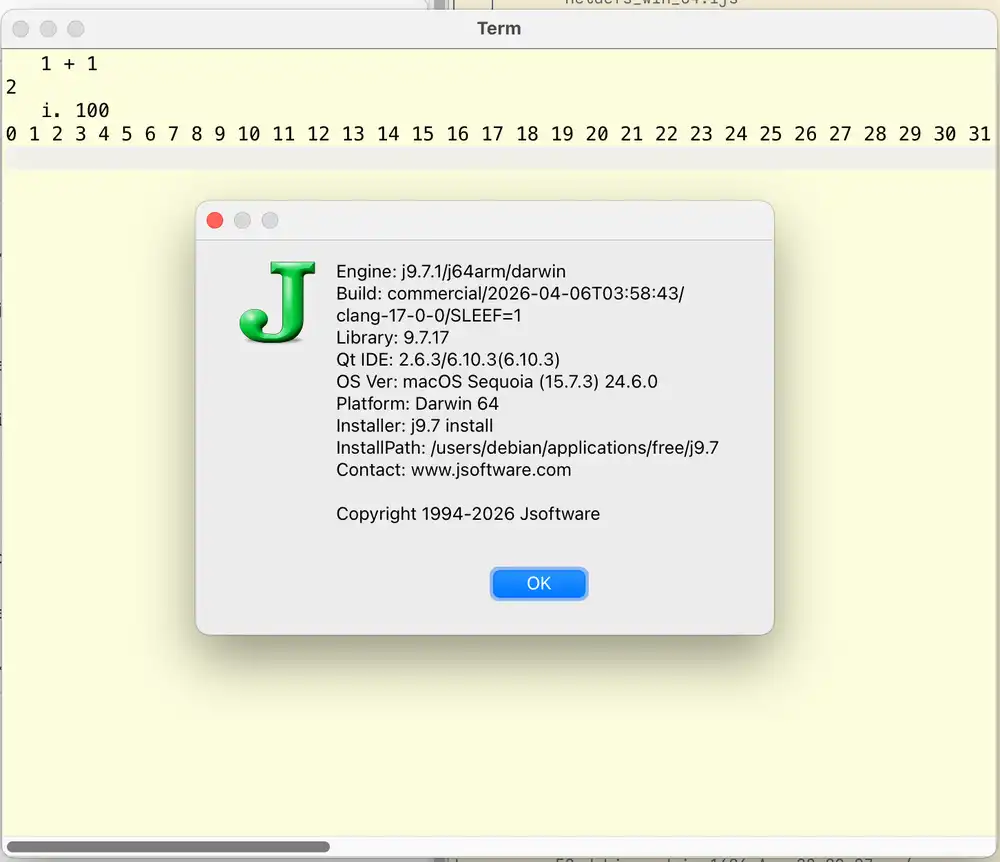
Here's how to fix the following error when installing J and JQt.
gzip: unknown compression format
tar: Child returned status 1
tar: Error is not recoverable: exiting now
When installing J9.7 on macOS Sequoia 15.7.3, I unpack the ZIP release in my home directory under ~/Applications/Free. After unpacking the contents, I end up with these files:
$ unzip $HOME/Downloads/j9.7_mac64.zip
[…]
$ tree -L1 j9.7/
j9.7/
├── addons
├── bin
├── jbrk.app
├── jcon.app
├── jhs.app
├── jqt.app
├── macos-fix.command
├── readme.txt
├── system
├── tools
├── updateje.sh
└── updatejqt.sh

9 directories, 4 files
The updatejqt.sh should install JQt for me but you'll see it fail with a mysterious tar error here:
$ cd j9.7
~/A/F/j9.7$./updatejqt.sh
Updating server catalog...
Installing 1 package
Downloading base library...
Installing base library...
Done.
Installing JQt slim binaries...
gzip: unknown compression format
tar: Child returned status 1
tar: Error is not recoverable: exiting now
Finished install of JQt slim binaries.
Installing Qt library...
Finished install of Qt library.
My instinct tells me that this is because I use Nix coreutils on my system through nix-darwin. This means that the gzip and tar commands on my computer aren't macOS and BSD-derived programs, but the GNU coreutils commands that you'll often use on a Linux distribution.
I notice that the util/pacman.ijs module in J is responsible for downloading and unpacking files. I assume that the root cause of the tar and gzip error comes from a bad mixture of if branches in the following code:
NB. util/pacman.ijs
NB. https://github.com/jsoftware/jsource/blob/master/jlibrary/system/util/pacman.ijs
www=. 'https://www.jsoftware.com/download/j',RELNO
'rc p'=. httpget_jpacman_ www,'/qtide/',z
if. rc do.
  smoutput 'unable to download: ',z return.
end.
d1=. d=. jpath '~bin'
if. IFWIN do.
  unzip_jpacman_ p;d
else.
  if. FHS do.
    if. (<UNAME)e.'Darwin';'OpenBSD';'FreeBSD' do.
      d1=. (({.~ i:&'/')BINPATH),'/lib/'
    elseif. IFRASPI do.
      d1=. (({.~ i:&'/')BINPATH),IF64{::'/lib/arm-linux-gnueabihf/';'/lib/aarch64-linux-gnu/'
    elseif. do.
      if. -.fexist d1=. (({.~ i:&'/')BINPATH),IF64{::'/lib/i386-linux-gnu/';'/lib/x86_64-linux-gnu/' do.
        d1=. (({.~ i:&'/')BINPATH),IF64{::'/lib/';'/lib64/'
      end.
    end.
    echo 'install libjqt.',suffix,' to ',d1
    hostcmd_jpacman_ 'rm -f ',BINPATH,'/jqt'
    echo 'cd ',(dquote jpath '~temp'),' && tar --no-same-owner --no-same-permissions -xzf ',(dquote p), ' && chmod 755 jqt && mv jqt ',BINPATH,'/jqt-',RELNO,' && cp libjqt.',suffix,' ',d1,'/libjqt.',vsuffix,' && chmod 755 ',d1,'/libjqt.',vsuffix, ((<UNAME)e.'Linux';'OpenBSD';'FreeBSD')#' && /sbin/ldconfig'
    hostcmd_jpacman_ 'cd ',(dquote jpath '~temp'),' && tar --no-same-owner --no-same-permissions -xzf ',(dquote p), ' && chmod 755 jqt && mv jqt ',BINPATH,'/jqt-',RELNO,' && cp libjqt.',suffix,' ',d1,'/libjqt.',vsuffix,' && chmod 755 ',d1,'/libjqt.',vsuffix, ((<UNAME)e.'Linux';'OpenBSD';'FreeBSD')#' && /sbin/ldconfig'
    if. 'Linux'-:UNAME do.
      echo 'update-alternatives --install ',BINPATH,'/jqt jqt ',BINPATH,'/jqt-',RELNO,' ',RELNO,' || true'
      hostcmd_jpacman_ 'update-alternatives --install ',BINPATH,'/jqt jqt ',BINPATH,'/jqt-',RELNO,' ',RELNO,' || true'
    end.
  else.
    hostcmd_jpacman_ 'cd ',(dquote d),' && tar xzf ',(dquote p)
  end.
end.
ferase p
if. #1!:0 FHS{::(BINPATH,'/',z1);BINPATH,'/jqt' do.
  m=. 'Finished install of ',bin
else.
  m=. 'Unable to install ',bin,LF
  m=. m,'check that you have write permission for: ',LF,BINPATH
end.
smoutput m
linux=. (UNAME -: 'Linux') *. 907 <: VERNO
When you make changes to this file, running the updatejqt.sh script reverts those changes. Similarly, directly running bin/jconsole -js "exit install 'slim'" reverts my changes to util/pacman.ijs.
Since I can't change or fix pacman.ijs, I have to find another workaround.
The solution is to adjust your PATH environment variable to not include any Nix-installed GNU coreutils. Here's that PATH before, formatted for legibility:
$ printenv PATH
/etc/profiles/per-user/debian/bin:
/run/current-system/sw/bin:
/nix/var/nix/profiles/default/bin:
/Users/debian/.local/bin:
/Users/debian/.dotfiles/bin:
/Users/debian/.cargo/bin:
/Users/debian/.nix-profile/bin:
/usr/local/bin:
/usr/bin:
/bin:
/usr/sbin:
/sbin
You need to run updatejqt.sh with just the last four /bin or /sbin directories and it works:
PATH='/usr/local/bin:/usr/bin:/bin:/usr/sbin:/sbin' ./updatejqt.sh
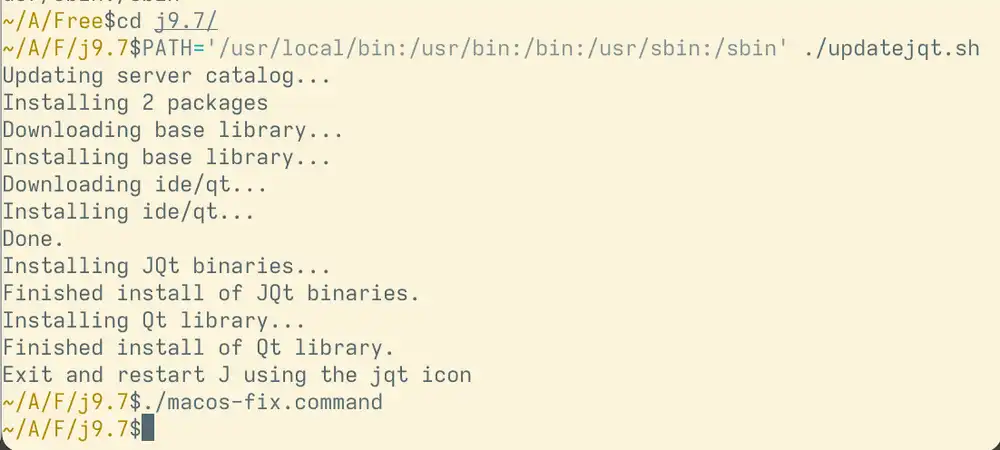
When the installer runs correctly, you'll see this:
Updating server catalog...
Installing 1 package
Downloading base library...
Installing base library...
Done.
Installing JQt slim binaries...
Finished install of JQt slim binaries.
Installing Qt library...
Finished install of Qt library.
Exit and restart J using the jqt icon
Make sure to run macos-fix.command, too.
Enjoy array programming with J on macOS!