Koriander CMS is a light-weight free software Content Management System (CMS). You can use Koriander CMS to publish web content, such as blogs and professional websites.
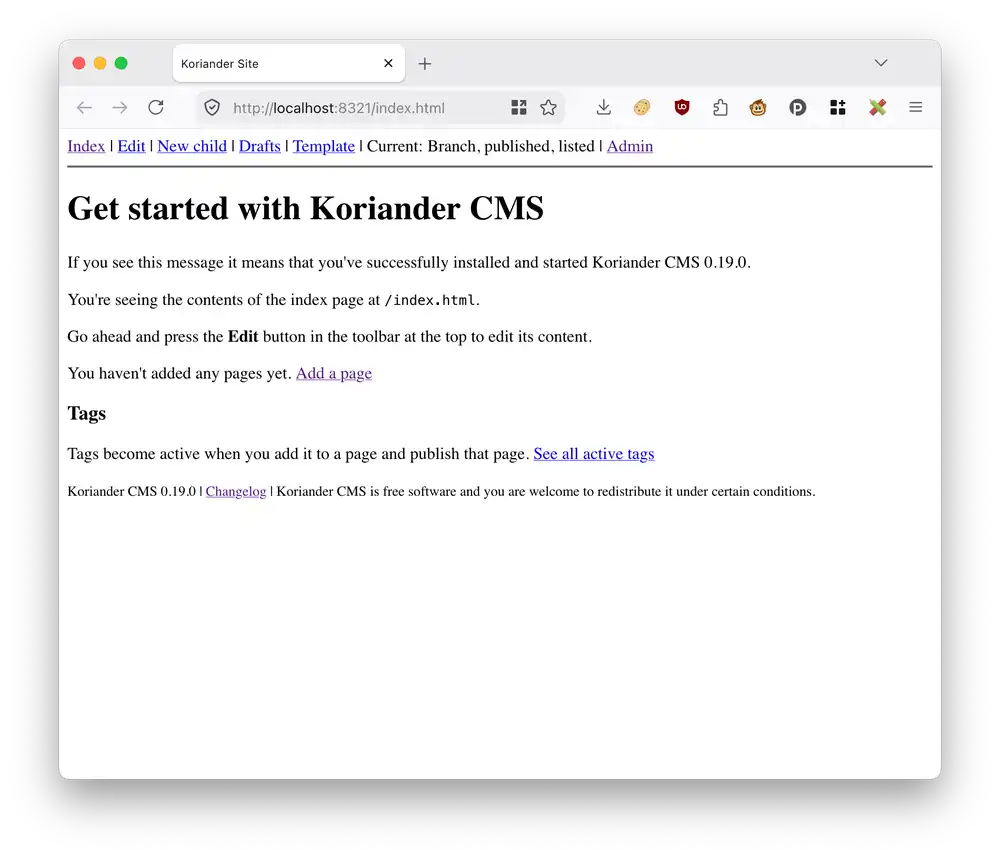
Documentation
If you're interested in learning how to get started with Koriander, read the Koriander CMS tutorial.
Do you use S3 and CloudFront or want to learn how to use them? Publish your Koriander blog with S3 and CloudFront.
Install Koriander
You can install Koriander as a Python PyPI package using pipx:
pipx install koriander
If you're not sure how to install Koriander on your computer, check out the Koriander CMS tutorial.
Features
Koriander CMS combines the best of static site generators like Hugo and hosted content management systems like WordPress or Drupal. Here's what Koriander CMS supports out of the box:
- S3 upload: Upload your Koriander site to Amazon S3 or any S3-compatible storage.
- SFTP upload: Upload your Koriander site with SFTP1 to your web server.
- Markdown: Create and edit your pages using a Markdown editor.
- Customizable content tree. Freely create and nest sections and add pages within those sections.
- Single database: Koriander CMS stores all your CMS data, including pages and files in one database.
- ZIP download: Download a copy of your Koriander site as a ZIP archive.
- Portability: Continue editing your site on another computer, you only need to copy the Koriander CMS database file.
- Drag-and-drop image upload
- Automatic asset compression with WebP images
- Add CSS assets with a built-in CSS editor
- Customizable Django templates with a built-in HTML editor
- Upload static files like favicons
- Free software: Koriander is available under AGPL version 3 or later
Koriander source code on CodeBerg: https://codeberg.org/jwpconsulting/koriander
-
Compatible with private key or certificate-based authentication using an SSH agent ↩